Reflect vs Day One

Reflect vs Day One: the polished veteran or the AI-and-encryption newcomer?

Day One has been the prestige diary app since 2011, with stunning design and Mac/Windows/Web coverage. Reflect is mobile-only, ships AI insights and paper-diary OCR in the box, and turns on zero-knowledge encryption by default. Here's the real trade-off.

Zero-knowledge by default AI insights + paper OCR 10 languages, Arabic RTL
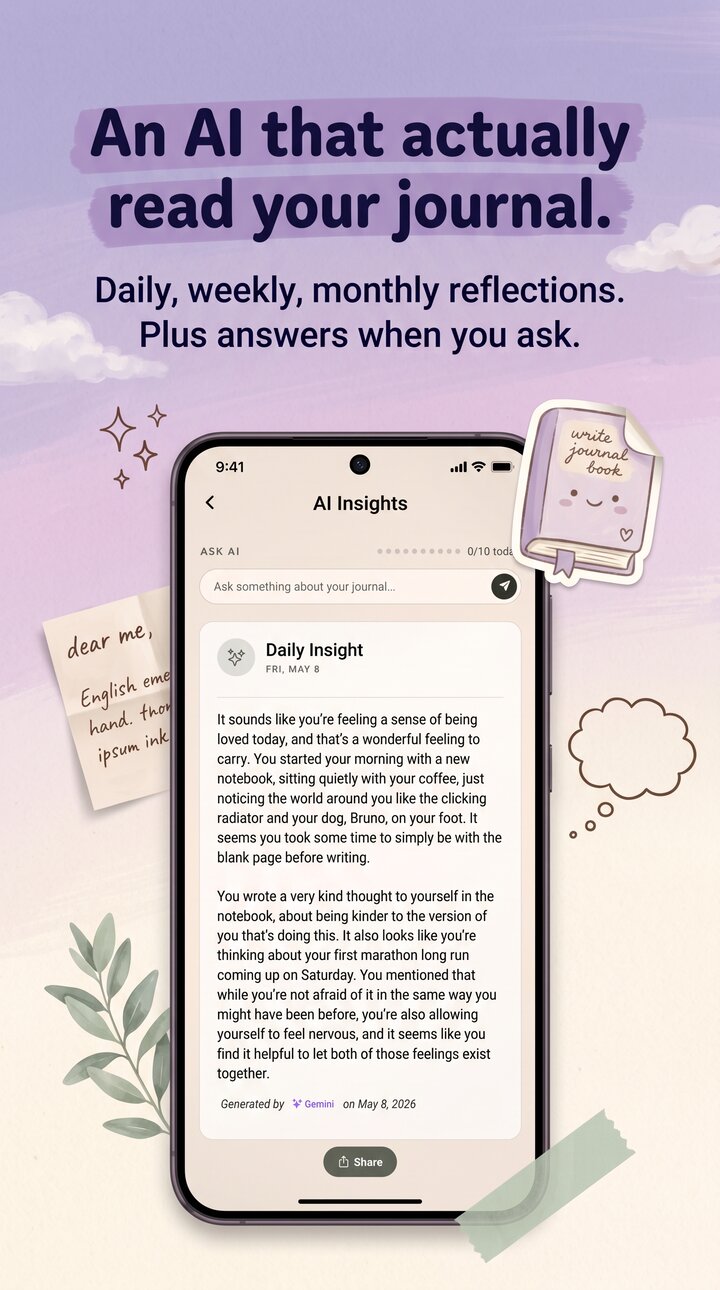
Reflect AI Insights on iPhone showing a weekly summary by Gemini — Day One doesn't ship AI insights

Three honest differences.

Both apps are good. They're optimized for different journaling lives.

01

Design and platform reach.

Day One wins this. It's been polished since 2011 and runs natively on iOS, Mac, Windows, Android, and the web. If you write at a desk on a Mac and pick up your phone on the way home, Day One's sync is hard to beat. Reflect is mobile-only — iOS 15.1+ and Android 10+. No desktop, no web. Deliberate scope choice.

02

Encryption defaults.

Day One offers end-to-end encryption as an opt-in feature with a passphrase. That's solid. Reflect ships encryption on by default: AES-256-GCM with HMAC tamper detection, Argon2id KDF over your recovery code, and zero-knowledge cloud backup with no opt-in toggle. Same primitives family, different defaults — Reflect assumes you want it; Day One asks if you do.

03

AI features.

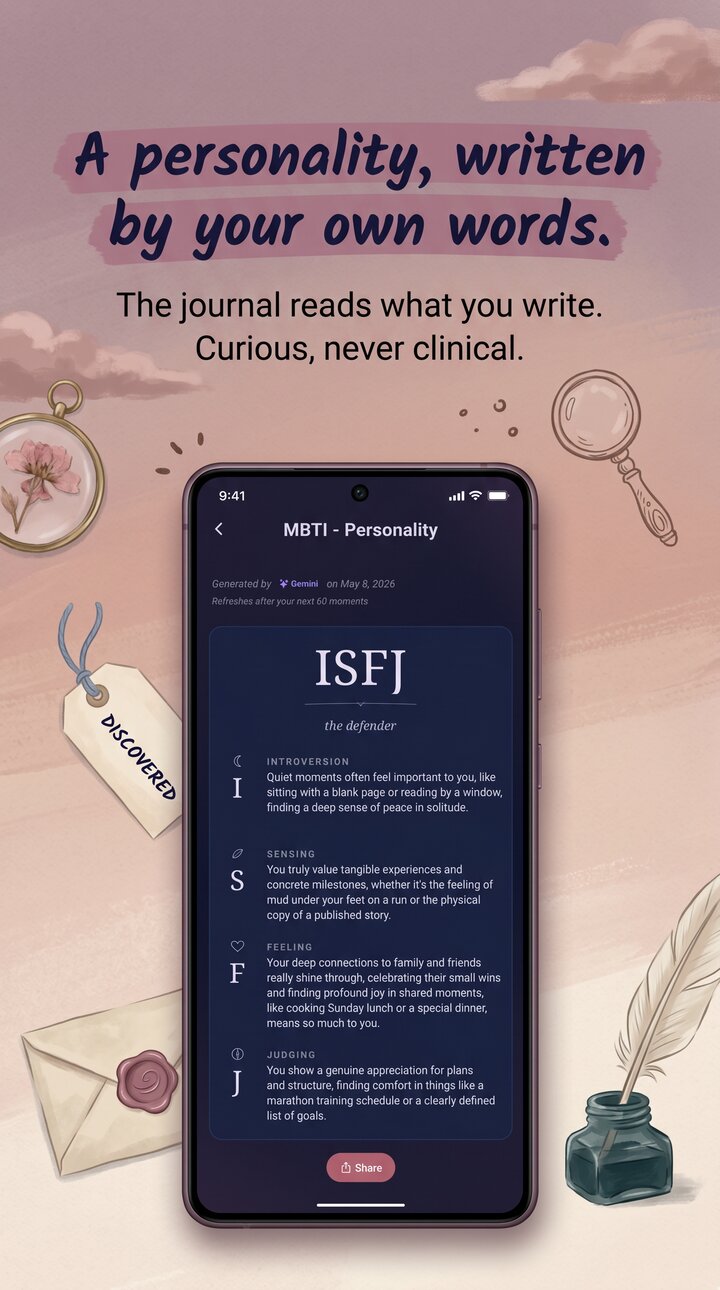
Day One doesn't ship AI insights, voice transcription, or paper-diary OCR. Reflect uses Google Gemini for all four: weekly insights, an MBTI-style personality read, Ask AI over your own entries, voice transcription, and OCR for paper journals. Typed text is PII-stripped on-device before any AI call.

Where Reflect pulls ahead

AI in the box, and encryption you don't have to enable.

Reflect's AI isn't a sidecar feature. Weekly insights surface patterns you didn't notice. The MBTI-style read updates as you write. Ask AI lets you ask questions of your own diary ("when did I last mention my brother?"). All of it runs through Google Gemini with on-device PII stripping for typed text. Encryption is the other big one — every entry is AES-256-GCM at rest, no toggle to find in settings.

  • Weekly AI insights and MBTI read
  • Ask AI chat over your own entries
  • Paper-diary OCR for old physical notebooks
  • Voice journaling — Gemini transcribes in 10 languages
  • Zero-knowledge cloud backup, no opt-in needed
Reflect MBTI personality screen on iPhone — AI reads your entries and writes a profile
Where Day One pulls ahead

The most polished diary on more platforms than anyone.

Credit where it's due. Day One is genuinely beautiful — typography, layout, photo treatment, all considered. It runs on iOS, Mac, Windows, Android, and the web, with multi-journal support, audio and video entries, a family plan, and printing. If you live across devices and want every one of them to have your diary, Day One has Reflect cleanly beat. Honest answer: Reflect is mobile-only and that won't change soon. If you write on a Mac at lunch and your phone at night, Day One is the right pick.

  • Native Mac, Windows, and Web apps
  • Multi-journal organization
  • Family plan up to six people
  • 14 years of design refinement
  • Audio and video entry support
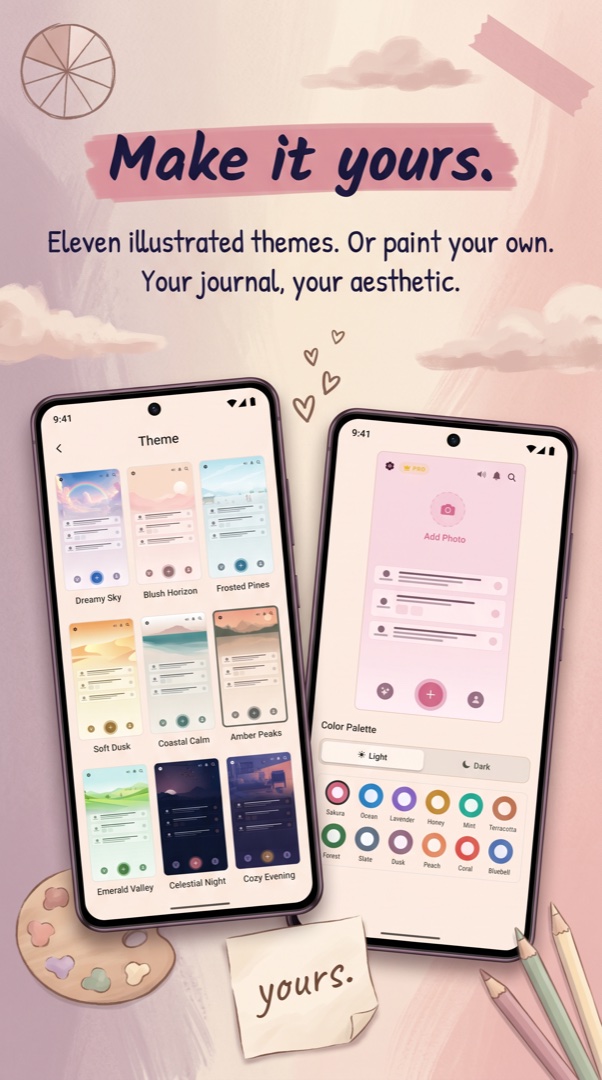
Reflect theme picker on iPhone — design polish vs Day One's deeper typography work

Should you switch from Day One to Reflect?

Honest answer: not if you live on your Mac. Day One's desktop apps are genuinely good and we don't have an equivalent. If half your journaling happens at a keyboard with a real screen, switching to Reflect would mean losing a workflow that already works. The switch makes sense if you journal almost entirely on your phone, you've been wanting AI that actually reads your entries back, and the opt-in nature of Day One's end-to-end encryption has been bugging you.

Reflect's defaults are the opposite shape: encryption on by day one, AI in the box, mobile-first. The same primitives Day One offers as an option, Reflect ships as the floor. That's the difference worth thinking about.

What you give up moving from Day One to Reflect.

You give up the Mac, Windows, and web apps. You give up multi-journal organization — Reflect is one continuous timeline with mood, location, weather, photos, and voice. You give up the family plan and printing. And you give up 14 years of design refinement; Reflect has 10+ themes and a careful design language, but Day One's typography work runs deeper. What you gain is built-in AI insights, an MBTI-style personality read, Ask AI chat over your own diary, voice journaling with Gemini transcription, paper-diary OCR for scanning old physical journals, zero-knowledge cloud backup that's on by default, AES-256-GCM at rest with HMAC tamper detection, biometric lock on the app itself, 10 languages with Arabic RTL, and a Lifetime pricing tier with no recurring fee for the diary itself. If those weigh more than desktop sync, switch.

Common questions.

Is Reflect cheaper than Day One?

Day One Premium is about $34.99/year single-user. Reflect has free, monthly, yearly, and one-time Lifetime tiers. Over multiple years Lifetime works out cheaper than Day One's recurring plan, but compare your own usage rather than headlines.

Can I import my Day One data into Reflect?

Not yet. Day One exports JSON / Markdown bundles and we don't have a one-click importer for them. If you have a large Day One archive you want to bring over, email [email protected] before switching.

Does Reflect have Day One's multi-journal feature?

No. Reflect is one continuous timeline. Day One wins on multi-journal organization if you keep separate work, personal, and travel journals.

Why would I switch from Day One to Reflect?

If you journal mostly on your phone, you want AI insights and paper-diary OCR built in, and you want zero-knowledge encryption on by default instead of as a toggle. If you rely on Day One's Mac, Windows, or web apps, don't switch — Reflect is mobile-only.

How honest is this comparison?

We wrote it. Day One's design, platform coverage, and longevity are real strengths that we point out repeatedly. The honest position is that these apps overlap less than the category suggests — pick the one whose constraints fit your life.

More from Reflect.

Two good diaries, different shapes — pick yours.

Free, in 10 languages, on iOS and Android. No account required. Encrypted from the first entry.

Follow