Paper Diary Scanner

Scan your old paper diaries into an encrypted app.

Photograph any page from any year. Reflect reads the handwriting, dates the entry, and stores it encrypted with the rest of your journal. Most diary apps can't do this. Reflect can, in 10 languages, with one honest caveat about the photo.

OCR in 10 languages Cursive supported Encrypted on save
Reflect entry on iPhone showing text scanned from a handwritten paper diary page

How the scanner actually works.

Three steps, no shoebox of paper required. You photograph a page and Reflect does the rest.

01

Photograph a page.

Open Reflect, tap Scan Paper Diary, and photograph the spread. Good light helps. Cursive, print, journal margins, dated headers — the OCR handles all of them. You can shoot a stack of pages in one session.

02

Gemini reads the handwriting.

The photo goes to Google's Gemini model for OCR. It returns clean text, attempts the date from any visible header, and detects a mood from the words. You see the result before saving and can edit anything that came out wrong.

03

Encrypted into your timeline.

Once you save, the entry is AES-256-GCM encrypted with HMAC tamper detection — exactly the same path as anything you typed. The scan sits next to today's entry, searchable, mood-tagged, backed up zero-knowledge to the cloud.

Digitize handwritten journals

Years of paper, into your pocket, in an evening.

Most people with paper journals have a box of them somewhere — high school, 2018, the year of the breakup. They never re-read them because finding anything is impossible. Reflect's OCR makes that pile searchable. Photograph the pages, save the entries with their real dates, and suddenly you can ask Ask AI what you wrote three Februaries ago.

  • OCR for cursive and print handwriting
  • Auto-detects the date from page headers
  • Mood tagged automatically from the text
  • Edit the transcribed text before saving
  • Saves under the entry's original date — not today's
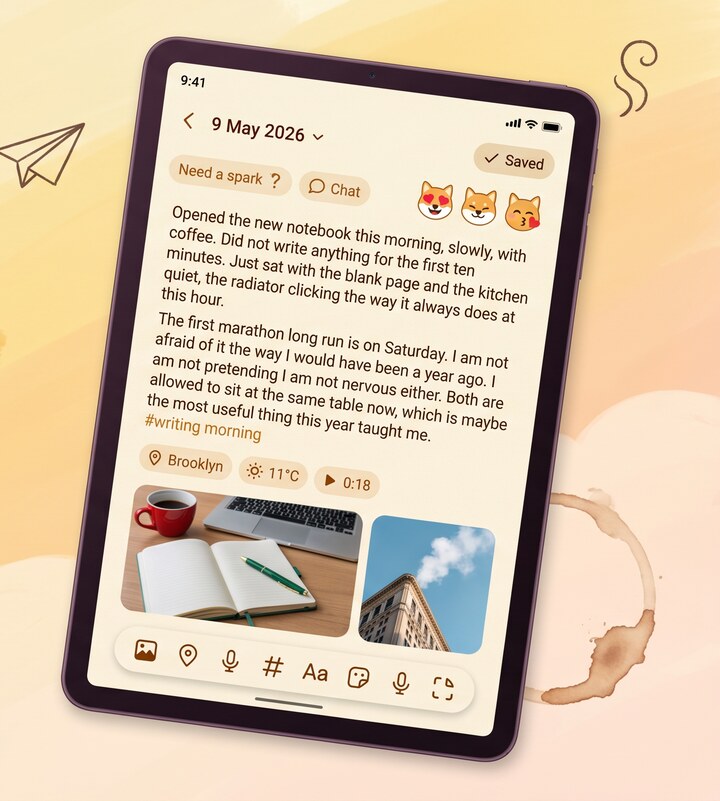
Reflect editor showing the transcribed text from a scanned paper diary page, ready for review
Honest caveat

The photo can't be PII-stripped. Here's what that means.

Typed text gets personal identifiers stripped on-device before it touches Gemini. We can't do that to a photo — we can't redact your sister's name from your handwriting before sending it. The image goes to Gemini for OCR, comes back as text, and from that point lives encrypted on your device. Gemini doesn't keep the image or train on it. But the picture leaves your phone, briefly, to be read.

  • Photo sent to Gemini for OCR only
  • Not retained by Google, not used for training
  • Resulting text encrypted AES-256-GCM on save
  • You can skip the scanner if even briefly is too much
  • Same caveat applies to attached photos and voice
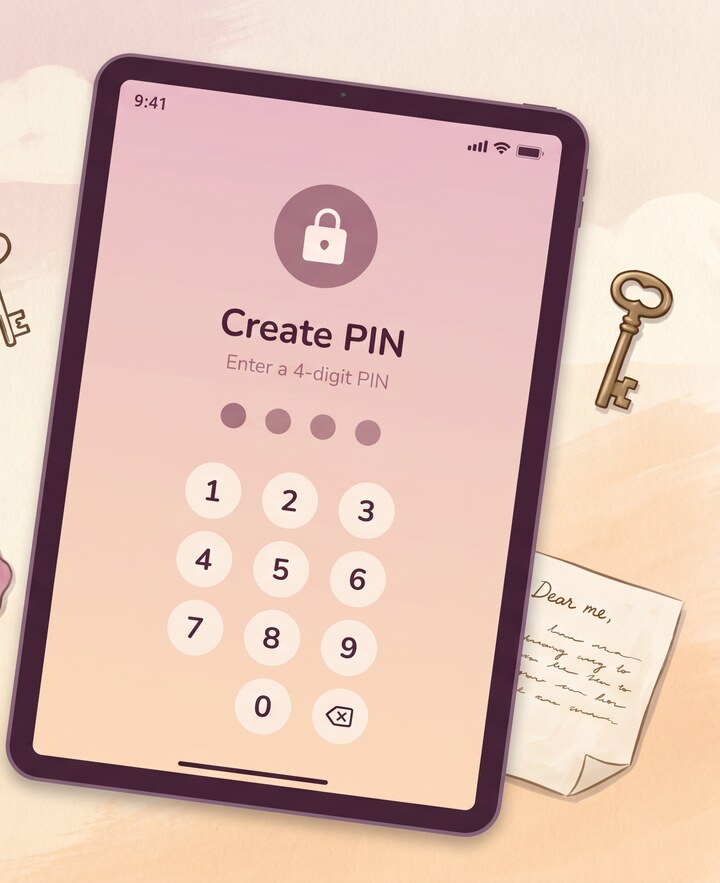
Reflect PIN lock screen — once scanned, paper diary entries live behind the same lock as typed entries

Why scan a paper diary into an app.

Paper diaries are wonderful right up until the moment you want to find something in them. You remember writing about a hard week in 2019 and you cannot, for the life of you, locate which notebook it was in. Re-reading a paper journal is mostly flipping pages hoping the right one falls open. The thinking on the page is great. The retrieval is broken.

Digitizing handwritten journals fixes retrieval without losing the writing. An OCR diary app doesn't replace the paper — keep the notebooks, they're nice objects — it just makes the contents queryable. Once a year is scanned in, you can search by word, filter by mood, see it on the timeline next to the year you typed everything. If you've been writing on paper for a decade and on phones for the last two years, scanning bridges the gap so the whole thread reads as one life instead of two.

What about handwriting Reflect can't read.

Gemini's OCR is good. It is not magic. Very small handwriting, faded pencil from 1998, pages where you wrote sideways in the margin, doctor-style scrawl after a bad day — those produce messier output. The fix is the edit step: Reflect shows you the transcribed text before saving and you fix the bits the model fumbled. You can also re-photograph a page with better light. For diaries written in non-Latin scripts the OCR is genuinely impressive — Korean, Japanese, Arabic, Hindi handwriting all work, which most paper-to-digital diary tools don't even attempt. The point is to digitize handwritten journal pages well enough that you can read them later, not to produce a flawless typeset version. Anywhere the OCR strays, fix it inline and save. The end result lives encrypted with everything else.

Common questions.

Does the OCR work on cursive?

Yes. Cursive, print, and mixed handwriting all work. Very small or faded writing produces messier text — Reflect shows you the result before saving so you can fix any words the model got wrong.

What happens to the photo after scanning?

The photo is sent to Google's Gemini model for OCR and is not retained by Google or used for training. The resulting text is encrypted AES-256-GCM on your device when you save the entry. You can choose whether to keep the original photo attached to the entry or discard it after scanning.

Which languages does the OCR work in?

All 10 Reflect languages: English, French, Spanish, Italian, Portuguese, German, Arabic, Korean, Japanese, and Hindi. Non-Latin scripts work well — Arabic, Korean, Japanese, and Hindi handwriting are all supported, which most diary apps don't handle.

How many pages can I scan?

One page per entry. There's no hard cap on entries — you can digitize an entire box of notebooks if you want. Scanning is part of the free AI allowance; if you're scanning hundreds of pages, premium covers heavier use.

Does it work without internet?

Honest answer: no, the OCR step needs internet because Gemini runs in the cloud. You can photograph pages offline and Reflect will queue them — the OCR runs as soon as you're back online. Writing, editing, and reading existing entries all work fully offline.

More from Reflect.

Bring your old notebooks with you.

Free, in 10 languages, on iOS and Android. No account required. Encrypted from the first entry.

Follow